


What Is a Relational Database? A Guide for Business
Picture an online shop. It has to keep track of customers, products, orders, delivery addresses, payment statuses and the contents of every single order. All of this data is connected: an order belongs to a particular customer, it contains particular products, and each product has a price and a stock level in the warehouse.
If you put everything into one big table, the data soon starts to repeat itself and drift out of sync. The customer's name appears on every line of every order they place, the product name is repeated hundreds of times, and updating prices across the catalogue turns into a job that takes days. These are exactly the problems a relational database solves.
Almost every system you use, from a WordPress website to your CRM and accounting software, runs on a database like this. And once you understand the logic behind it, you will plan a better website, shop, automation or dashboard.
In this guide we cover:
- what a database is and why a business needs one;
- what a relational database is made of: tables, keys and relationships;
- what transactions, ACID and normalisation mean;
- what an RDBMS is and how SQL works;
- the strengths and weaknesses of the relational approach;
- how all of this looks in your website, online shop and business automations.
What a database is and why a business needs one
A database is an organised store of information that you can search quickly, update and use inside applications and services. In a business, the database is what keeps processes running: taking orders, managing stock, storing customer details, recording payments, logging support requests and producing reports.
You need a database when it is not enough simply to store information, because you have to use it and change it all the time. The system has to find records quickly, check that the data is valid, restrict who can access it and prevent contradictions. An order should never point to a customer who does not exist, and a payment should not disappear after a status change.
Users rarely work with the database directly. When someone clicks a button, submits a form or opens a report, the application talks to the database for them: it creates a new record, finds information, changes data or calculates something.
What a relational database is
A relational database stores information in several tables that are linked to one another. The word "relational" comes from the mathematical model the approach is built on, and in practice it describes exactly that: tables and the relationships between them. It is used for structured data such as customers, orders, products, payments, employees and documents.
Instead of one huge table, the data is split into several related tables:
- customers – the people who buy from you;
- products – what you sell;
- orders – the orders themselves;
- order_items – the products inside each order.
Each table holds information about one kind of thing. The links between tables are created with keys, which are fields containing record identifiers. Every customer has a unique customer_id, and the orders table does not store the customer's name, only their customer_id. If the customer changes their name or email address, you update the customers table and leave the orders untouched.
The structure of a database is called its schema. It defines which tables and columns exist, which values are required or must be unique, and how the tables connect. These rules protect data integrity: the database can refuse to create an order for a customer who does not exist, or stop two customers from registering with the same email.
How this differs from a spreadsheet
A sheet in Excel or Google Sheets is a page divided into rows and columns. The columns decide what you record: customer name, email, product, quantity, date. Each row usually describes one event, such as a single purchase.
That works well while there is not much data. But as the sheet grows, information about different things gets mixed together: customers, products and orders. Anna's name and email are repeated on every order she places, and a product name is repeated on every purchase of it. If Anna changes her email address, you have to correct it on every row, and missing just one is enough for the data to contradict itself.
In a relational database, each customer and each product is stored once. An order connects to the customer through customer_id, and its lines connect to products through product_id. Nothing is duplicated, and the database itself checks that the links are valid.

What a relational database is made of
A relational database is made up of tables, and tables are made up of rows and columns. Rows hold the records, columns describe their attributes, and keys connect the tables to each other. Let's go through the pieces one by one.
Tables, columns and data types
Each table stores information about one kind of object, or in technical terms, one entity. The columns define what data the table can hold. A customers table might have customer_id (the identifier), name, email, phone and created_at (the sign-up date).
Every column has a data type: text, number, date, or a Boolean value (true or false). The name is stored as text, the sign-up date as a date and time, the price as a number. Data types help the database block invalid values, such as the word "lots" in a quantity field.
You can also add constraints: make the email required and unique, or say that a price can never be negative. That way some of your business rules are enforced by the database itself, not only by your website's code.
Primary key
A table can contain similar records, for example two customers called Anna. So every row needs something that identifies it unambiguously. That is the primary key: a column, or a combination of columns, with a value that is unique for every record.
In the customers table the primary key is customer_id. The names are the same, but the identifiers are different, so the system knows exactly which record you mean. An order has its own primary key too, order_id. It is used to find or update a specific record and to link data from other tables to it.
Foreign key
A foreign key is a field that points to a record in another table. When a customer places an order, the orders table does not store her name and email again, only her customer_id. In the orders table, that field is a foreign key.
A record with customer_id = 101 says that order 501 belongs to customer 101. This is how tables are linked without copying data. If Anna changes her email, you update it once, and all her orders keep pointing to the same record. The foreign key also keeps things in order: the database can refuse to create an order with customer_id = 999 if no such customer exists.
Relationships between tables
Relationships let you store data separately without losing its meaning: which order belongs to which customer and which products are in each order. There are two common types.
One-to-many. One customer can place many orders, but each order belongs to one customer. The foreign key lives on the "many" side: orders.customer_id points to customers.customer_id. This is the most common relationship in business systems: a company and its employees, an author and their articles, a category and its products, a project and its tasks.
Many-to-many. One order contains several products, and one product appears in many orders. Storing a list of products inside the order row is awkward, so you use a junction table. Here that is order_items: each row says which product, in which order and in what quantity. Its order_id and product_id fields are foreign keys, and with them the database assembles the contents of an order from three tables.
A junction table can also store information about the relationship itself: the quantity, the price on the day of purchase, a discount or a return status. That small detail matters a lot in online shops. If you only store a reference to the product, a future price change will retroactively "change" the total of old orders.
Schema
The schema describes the whole structure: tables, columns, data types, keys, relationships and constraints. For example: a customer's email is required and unique, a product's price is zero or more, every order must point to an existing customer, and every order line must point to an existing product. A good schema is, in effect, documentation of your business logic.

The principles: data integrity, transactions and normalisation
Data integrity
Data integrity means the data is consistent and does not contradict itself. Records follow the rules, and the links between tables are valid. If an order line says product_id = 25, the products table must contain that product. Otherwise the database holds a reference to a record that does not exist. Keys and constraints protect integrity, and they matter most in systems that handle payments, documents, permissions and stock.
Transactions and ACID
A transaction is a group of operations carried out as a single unit. When a customer pays for an order, the system has to record the payment, change the order status and deduct the products from stock. If any of these steps fails, the others can be rolled back too, so you never end up with a payment without an order, or an order that was never deducted from stock.
The reliability of transactions is described by four properties known as ACID:
- Atomicity – either all operations in the transaction happen, or none of them do;
- Consistency – when the transaction ends, the data satisfies every rule;
- Isolation – transactions running at the same time do not interfere with each other;
- Durability – once a change is successfully saved, it survives even a crash.
Normalisation
Normalisation is a way of designing a database that minimises duplication and contradictions. Customer details live in customers, product details in products, and orders link to them by identifier. The goal is for every piece of information to sit in the place it belongs and not be copied without a reason. In practice you sometimes give up a little normalisation on purpose, for example by storing the price on the order line to record what the customer actually paid. That is a deliberate decision, not a mistake.

What an RDBMS is and how SQL works
A database management system (DBMS) is the software applications use to work with data. With it you create tables, add and update records, run queries, delete data and enforce the rules. When such a system follows the relational model, it is called an RDBMS.
When a shop needs to create an order or find all of a customer's purchases, the application sends a request to the RDBMS. The system reads the tables, checks the constraints and returns a result. It stores the data, runs queries, enforces rules, manages permissions, executes transactions and uses indexes to speed up searches.
Popular relational systems
- MySQL – a popular server database for websites, online shops and content management systems. WordPress runs on it or on its close relative, MariaDB.
- PostgreSQL – an open-source system with rich SQL support, complex queries, JSON and extensions. It is widely used in web services and systems with complex data structures, and platforms such as Supabase are built on it.
- Microsoft SQL Server – part of the Microsoft ecosystem, common in larger organisations alongside .NET, Azure and Power BI.
- Oracle Database – built for large enterprise systems with demanding performance and security requirements, for example in banking and telecoms.
- SQLite – an embedded database that keeps the whole database in a single file and needs no server. It suits mobile and desktop apps, small tools and prototypes.
Today most businesses do not install a database server themselves. They use a managed cloud service such as Amazon RDS, Google Cloud SQL, Azure SQL or Supabase. The provider takes care of backups, updates and availability, and you pay for what you use.
SQL in a nutshell
SQL is the language that software, developers and analysts use to work with relational databases. An SQL query describes the result you want, not the technical steps to get it: "find customer 101", "show orders paid this month", "change the status of order 501". The system decides how to search and which indexes to use.
The basic commands:
- SELECT – read rows and columns;
- INSERT – add a new row;
- UPDATE – change existing rows;
- DELETE – remove rows;
- CREATE TABLE – create a table and define its structure;
- ALTER TABLE – change the columns and constraints of an existing table.
For example, the query SELECT name, email FROM customers WHERE customer_id = 101 returns the name and email of customer 101. SELECT chooses which columns to return, FROM says which table, and WHERE sets a condition. With UPDATE, the WHERE condition is especially critical: without it, the change applies to every row in the table.
JOIN: combining data from several tables
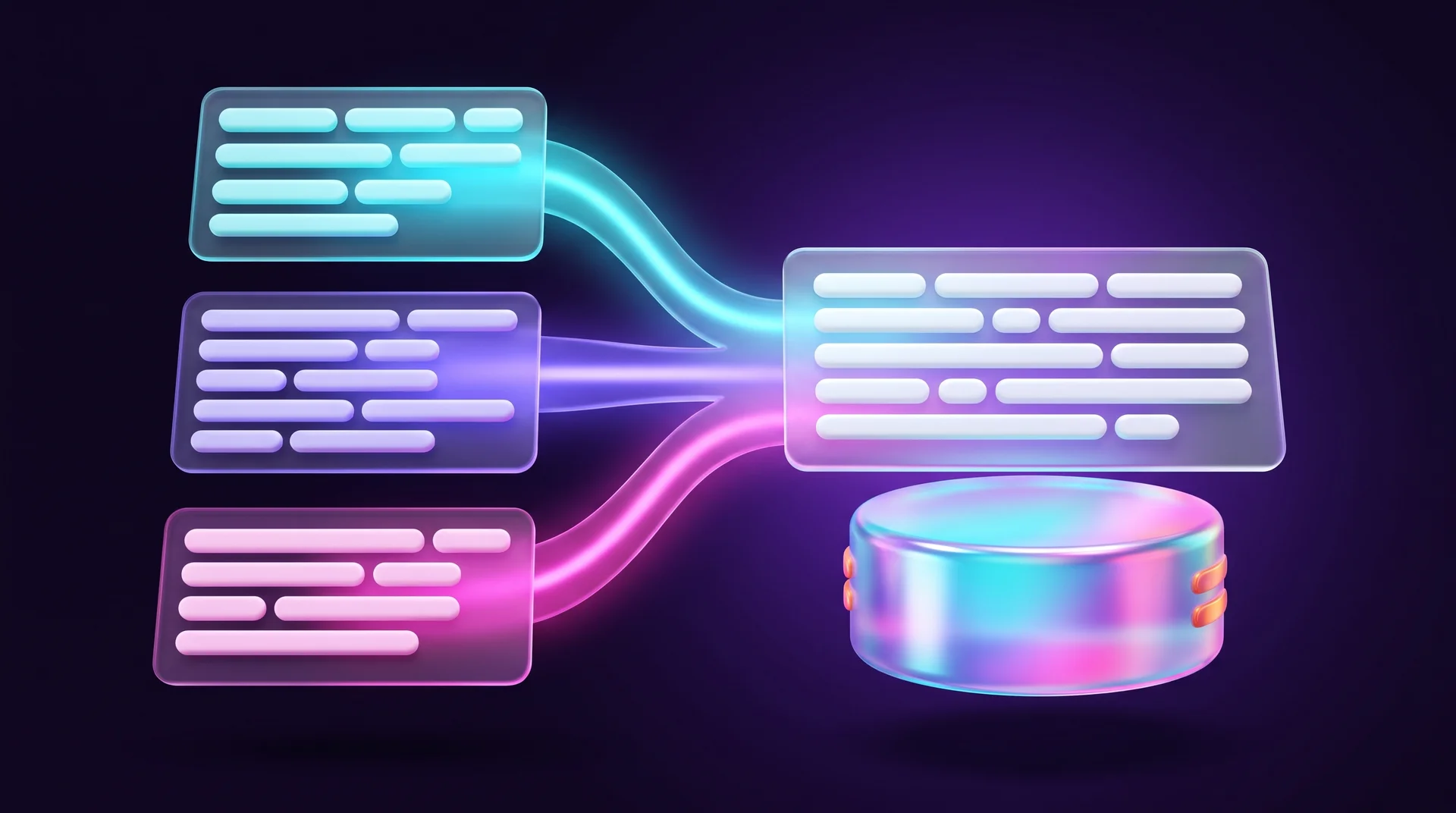
In a relational database, related data lives in different tables. To display an order you need its number from orders, the customer's name from customers, the product names from products and the quantities from order_items. JOIN does the combining: it matches rows from different tables by their keys.
The query links the order to the customer by customer_id, adds the rows from order_items and, using product_id, pulls in the product details. The result is a single table: order 501, Anna Smith, two products and their quantities. JOIN does not merge the tables permanently. It builds a combined result only for the duration of the query, and the data stays in its own tables.
Pros and cons of relational databases
Strengths
- A clear structure. Tables, rows and columns, with explicitly defined relationships. Easy to document and maintain.
- Data integrity. Keys, data types and constraints prevent errors and contradictions.
- SQL. One standard language for reading, filtering, joining tables and calculating. BI tools such as Looker Studio and Power BI connect to it directly.
- Transactions. Related operations run as a single unit, which is critical for payments and stock.
Weaknesses
- You have to plan ahead. Before you start, you define tables, columns, types and relationships. If requirements change constantly, you will be updating the schema again and again.
- Design mistakes are hard to fix. A poor structure leads to duplication and convoluted queries, and the more data piles up, the harder it is to change.
- Complex queries need optimisation. Lots of JOINs over large volumes put load on the server, so you add indexes and monitor performance.
- Not right for every kind of data. Logs, event streams, relationship graphs or documents whose structure keeps changing are sometimes easier to keep in NoSQL databases such as MongoDB, Firestore or Redis.
The bottom line: a relational database is the natural choice when your data structure is fairly stable and accuracy, relationships and consistency matter more than flexibility. If your data keeps changing shape or arrives as huge volumes of events, consider a different model, or a combination of several database types in one system.
Relational databases in your website and business automations
Even if you never write a line of SQL, you are probably already working with relational logic. Here is where it shows up in tools that businesses use every day.
WordPress and WooCommerce
WordPress stores all content, users and settings in a MySQL or MariaDB database. A WooCommerce shop keeps its products, orders and customers there too. That is why the performance of a large WordPress site depends heavily on the database: plugins that add unnecessary tables, heavy queries and data that is never cleaned up all slow the site down. We cover choosing the platform in our guide to WordPress websites for business.
Webflow CMS
In Webflow you never see tables, but the CMS is built on the same idea. Each Collection is effectively a table, each item is a row and each field is a column. Reference and Multi-reference fields are Webflow's version of relationships: a post that points to an author (one-to-many) or a project that points to several services (many-to-many). If you plan your collections like a schema, without duplicating information, you get a site that is easy to update and extend. That is exactly how we approach our Webflow projects.
Airtable and Google Sheets
Airtable looks like a spreadsheet, but it lets you link records across tables, which makes it a handy halfway house between Excel and a real database. A small business can manage customers, projects and invoices in it, with relationships between them. When the data grows, or when you need transactions and fine-grained permissions, it is time to move to a relational database. If you are weighing an off-the-shelf tool against a custom build, read our guide to no-code and low-code.
Automations and integrations
Tools such as n8n, Make and Zapier connect directly to MySQL and PostgreSQL: they add a row when a lead arrives from a website form, update a status when a payment comes in, or pull data for a weekly report. An automation that writes to a well-structured database is far more reliable than one that copies data between spreadsheets. We cover the tool itself in our guide to automation with n8n, and we build connections between systems as part of our automation and integrations service.
Privacy and data security
A database that holds customer details is personal data processing in the sense of data protection law. In the European Union that means the GDPR, which requires you to collect only the data you need, have a lawful basis for processing it, protect it with appropriate technical and organisational measures and report serious breaches. This is a general overview, not legal advice, so check your obligations with a qualified adviser. In practice it comes down to: store only what you genuinely need, give every employee and every integration only the permissions they require, encrypt backups and never expose the database to the internet without protection. Read more about the risks in our guide to information security threats.
Common design mistakes
- One table for everything. You start with a single sheet and a year later discover thousands of duplicates.
- No unique identifier. Customers are identified by name or phone number, and two customers with the same name get mixed up.
- Not storing the price on the order line. A future price change corrupts your history and your reports.
- Lists inside a cell. "Product A, Product B" in a single field instead of a junction table, so you cannot filter or count.
- No backups and no test environment. An UPDATE without WHERE on the live database is a mistake that happens more often than you would think.
How RJL Studio helps you build the right data structure
Most problems in websites and business systems do not start with the design. They start with the data structure: collections that duplicate information, forms that save to a spreadsheet nobody maintains, automations that break as soon as something changes. At RJL Studio we begin every project by mapping the data: which entities your business has, how they connect and where each piece of information should live.
On that foundation we build Webflow websites with a well-planned CMS, WordPress sites and online shops, and connect them to your CRM, payment systems and automation tools such as n8n and Make. If you are planning a new website or shop, or want to bring order to data that is currently scattered across spreadsheets and systems, get in touch and we will design a structure together that holds up as your business grows.
Frequently asked questions
What is the difference between a relational database and NoSQL?
A relational database stores data in tables with a fixed schema and defined relationships, and uses SQL and transactions. NoSQL databases store data as documents, key-value pairs or graphs; they are more flexible in structure and easier to scale across many servers. For most business systems a relational database is the better fit, while NoSQL serves special needs such as logs, caching or data that keeps changing shape.
Does a small business need a database, or is a spreadsheet enough?
At first a spreadsheet may well be enough. Once you start seeing duplicates, several people editing the same file, or a need to connect the data to your website and automations, it is time to move at least to Airtable or a CRM, and later to a relational database.
Do I need to know SQL to work with a database?
Not necessarily. Websites, CRMs and no-code tools work with the database for you through a friendly interface. A basic grasp of SELECT and JOIN helps marketers and analysts a lot when they want to pull data themselves, and AI tools such as ChatGPT and Claude can now draft queries from a plain-language description. Just check every query before you run it on real data.
Which database is right for a website or online shop?
If your site is built on WordPress, the choice has already been made: MySQL or MariaDB. In Webflow and Wix the database is managed by the platform and you work through the CMS. For a custom-built application or system, PostgreSQL on a managed cloud service is a common and safe choice. The decision depends mostly on the team that will maintain the system and the integrations you need.
What are a primary key and a foreign key, in plain words?
A primary key is the "ID card" of each row in a table: a unique number that never repeats. A foreign key is a field where you write the ID of a row from another table, which is how the two are linked. For example, an order records the customer's number instead of all their details, and the database knows how to find them.
Disclaimer: blog content is for general information and learning only and is accurate as of its publication date. It is not professional, legal, financial or business advice, nor a recommendation or call to take any action. Any use of this information is at the reader's own risk, and we accept no liability for any resulting loss. Links to external websites and tools are provided for convenience only. We recommend consulting a qualified professional before making decisions.