


Design References and Moodboards for Websites
"I want something clean and modern, but with personality." Almost every design project starts with a sentence like this, and the problem is that everyone pictures something completely different behind it. The business owner imagines a white website with plenty of breathing room, the designer sees a dark background with oversized typography, and the developer is already thinking about animations. Design references are how you get everyone looking at the same picture.
References are not about copying other people's work. They are a professional working tool. They help you choose a visual direction, see how others have solved a similar problem and keep the conversation between client and designer concrete. Collected properly, they save rounds of revisions, time and money.
In this guide we cover:
- what a design reference is and which types of references exist;
- why references matter to both the designer and the business owner;
- how to collect references for a website project, step by step;
- where to find references and how to organise them into a moodboard;
- how to use references without copying or infringing copyright.
What a design reference is
A reference is an image, a website, an object or any other example that a designer or artist relies on while working on a project. Put simply, references help you study details and techniques, choose a visual direction and find ideas for your own work.
The key point: a reference is raw material for your own solution, not a ready-made template to copy. A good designer does not take a competitor's website and swap the logo. They look at dozens of examples, work out what works in each one and why, and build something new that fits one specific business.
What can serve as a reference
Almost any visual can become a reference: a website, an app, a photograph, a film still, product packaging, a poster, a painting or a sketch. Physical objects count too. A fashion designer works with fabric swatches, an industrial designer learns from mechanisms and shapes found in nature, and a web designer can take inspiration from a shop window or the signage in an office building.
Style references and functional references
By purpose, it is convenient to split references into two types:
- Style references help define the visual direction of the project: colour palette, composition, typography and overall mood. For example, when developing a brand identity, a designer might study packaging, posters and photography to find techniques that match the character of the brand.
- Functional references show how a particular task is solved. For example, when planning an online store, you look at product cards, catalogue structure, filters and navigation on other websites. Here the visual style matters less: what you care about is how information is organised and how the user moves through the interface.
The split is not strict. The same website can interest a designer for its colours and for its navigation at the same time. Still, it pays to note next to every reference exactly what you are taking from it. Otherwise, a week later nobody remembers why it was saved.

Why you need design references
References are a working tool with several jobs, and each one saves time at a different stage of the project.
A source of information and factual detail
Sometimes a designer has to draw or design something they do not know in depth: a medical device, industrial equipment, a restaurant dish or an athlete in motion. References let you study the structure and the characteristic details. Finished work by other creators is also how you learn their artistic and technical methods.
Data for analysing existing solutions
References help you analyse what already exists on the market and study your competitors' approaches. When designing a website for a law firm, it is worth looking beyond other law firms to adjacent fields: tax advisers, insurers, private banks. This kind of analysis lets you frame the task clearly: stand out from the competition, or deliberately look familiar and trustworthy. The method is called benchmarking, and you can apply it to a whole website or to a single component.
Understanding the context
References create a frame of reference for the project. They show which solutions are standard in the industry, which trends are around and what will look out of place. Working systematically with examples reduces the risk of getting the visual language wrong: for instance, choosing loud neon colours for a private banking or wealth management website, where clients expect calm and reliability.
Explaining ideas and expectations
This may be the most important job references do in a website project. They let the business owner and the designer speak the same language. Instead of "something clean and modern", the client shows three examples and explains what they like about each one, and the designer responds with what they can offer. That is why serious website work almost always starts with a conversation about references, before anyone opens a file in Figma.
Inspiration
Other people's work can suggest new ways to execute an idea, illustration styles you have not tried, surprising colour combinations or typographic solutions you had not considered. Inspiration is no substitute for thinking, but it helps you break out of familiar patterns.

Where design references are used
References are useful in any work that has a visual outcome:
- Website and app design – they help you find not only the right aesthetic but also user-friendly solutions: landing page structure, forms, menus, product cards.
- Branding and marketing design – they help you stand apart visually from competitors or, the other way round, understand what your audience already knows and expects to see.
- Photo and video – they define the composition, style and mood of a shoot in advance and let you align expectations between the photographer, the producer and the client.
- Advertising creative – social media ads, banners and short videos come together much faster when there is a board of examples of what works in your field.
- Illustration and concept art – references are the foundation when you need to draw something that does not exist yet still looks believable.
- Architecture and interior design – they help define the style and direction for a space or a building.
- Fashion design – they serve both as accurate examples of clothing from a particular era and as inspiration for a creative quotation.
In a website project all of these come together: photography, illustration, colour, typography and page structure. So it is worth collecting references for each element separately, rather than settling for "a website I like".
How to collect references for a website: step by step
The process below works both for business owners preparing for a meeting with a studio and for marketing teams writing a brief for a designer.
Step 1: Define the goal of the website
Before you look for examples, write two or three lines on what the website needs to do: generate enquiries, sell products, build credibility with investors or showcase a portfolio. A lead generation site and a corporate brand site will lead you to completely different references. It also matters who the visitor is: a 50-year-old business owner and a 22-year-old student react to design very differently.
Step 2: Gather 15–30 examples without filtering
At this stage, do not judge too much. Save every website, photo or piece of packaging that triggers a reaction. Look outside your own industry too: a tech company can learn a lot from a boutique hotel website, and a clinic can borrow ideas from a skincare brand.
Step 3: Write down exactly what you like about each one
This is the step most people skip, and it is the most important one. "This website is nice" does not help a designer. "I like the large headline at the top and the earthy tones in the photos, but the menu is confusing" is a direction someone can actually work with.
Step 4: Add anti-references
Examples of what you do not want are just as important. If a competitor's website looks cheap or cluttered to you, include it with a short explanation. That way the designer understands your boundaries much faster. For a list of the typical warning signs, see our guide to the signs your website looks cheap.
Step 5: Filter and group them
Now go through everything and keep 8–12 strong references. Sort them into groups: colour and mood, typography, photography and illustration, page structure and navigation, and small details such as buttons and animations. If one group contains styles that contradict each other, this is the moment to decide.
Step 6: Present them to the designer and listen
Bring your references to a conversation rather than sending them as a set of instructions. A professional designer will ask why you chose each example and suggest directions of their own. Quite often they will notice that what drew you to an example was really the background colour or the size of the headings, and that can be achieved in a completely different way.

Where to find design references: sources and tools
There is no need to reinvent the wheel: plenty of websites work as reference libraries. Here are the main sources, grouped by task.
References for web design
- Awwwards – a collection of websites recognised for design and innovation. Great for style ideas, although some of the sites there are too experimental for an everyday business.
- Land-book and Lapa Ninja – galleries of landing pages and websites you can filter by industry and style.
- Made in Webflow – websites and templates built in Webflow. A handy way to see what the platform can do and to get ideas for interactions.
- Mobbin – a library of screenshots from real apps and websites, organised by screens and flows such as sign-up, checkout and settings. An excellent source of functional references.
Style and branding references
- Behance – complete projects by designers and studios: branding, packaging, illustration, web design. The process and the reasoning behind it are often shown as well.
- Dribbble – short pieces by designers: screens, icons, illustrations and animations. Good for details, less useful for a complete website.
- Pinterest – a visual search engine with boards you can share. Especially convenient for business owners who want to collect examples without learning a new tool.
- Are.na and Savee – collecting and inspiration tools popular with designers, with less commercial noise.
References from the real world
Do not forget your surroundings: shop windows, café menus, signage, packaging on supermarket shelves, books and magazines. A phone photo of great packaging is a perfectly valid reference. If your website will run in several languages, deliberately look for examples from your target markets as well: a layout that works beautifully in one language can feel cramped or awkward once the text is translated and grows longer.
Where to keep your references
For shared work with a designer or a team, a collaborative board is the most practical option: FigJam or a Figma file, Miro or Milanote. A simple Google Drive folder with a notes document works too. What matters is that everyone involved sees the same board and can leave comments next to each example.
Moodboards: turning references into a visual direction
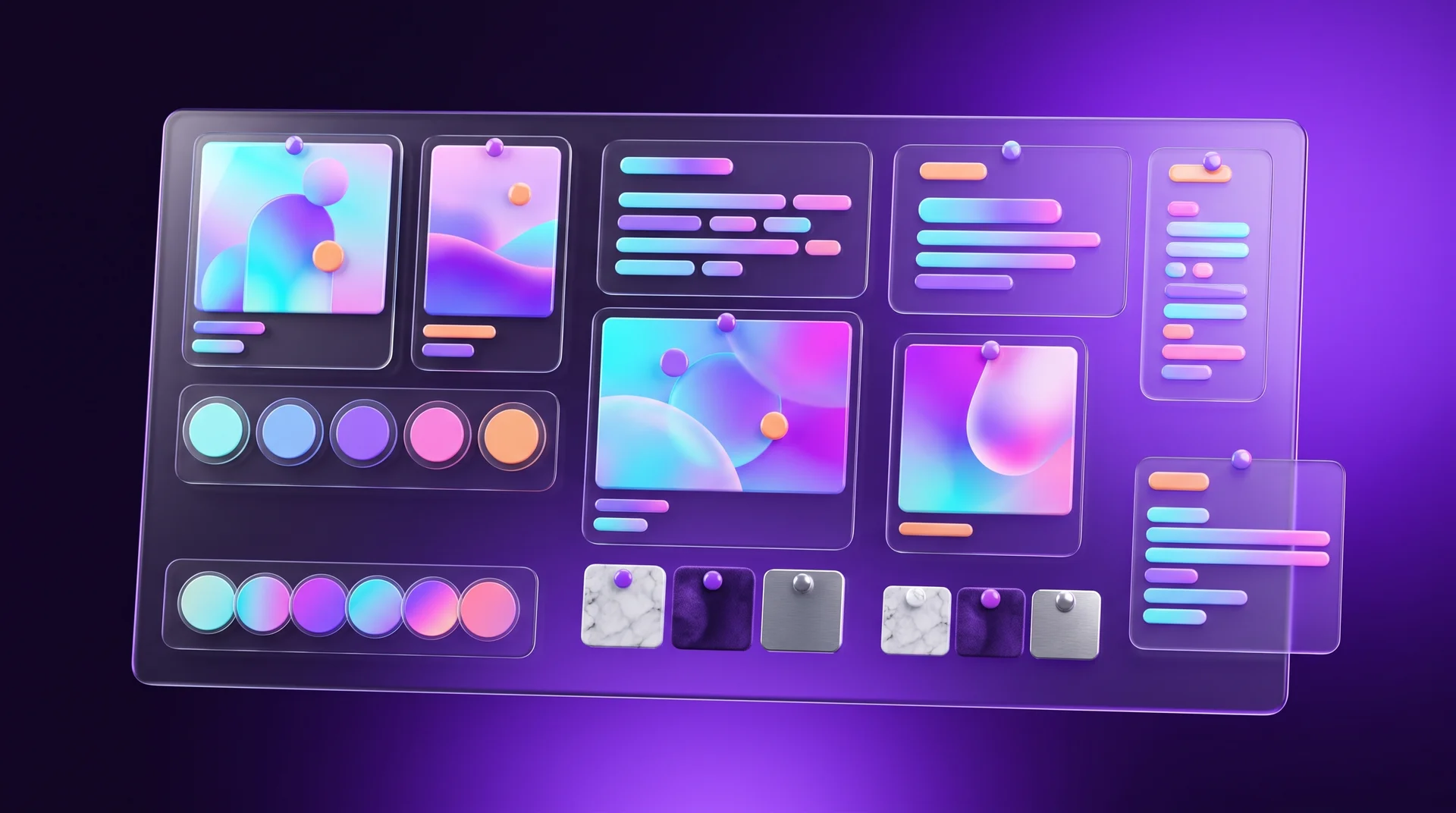
When references are pulled together into a single themed collage, you get a moodboard. It is no longer just a folder of images but a visual statement: this is how the project should feel.
What goes into a website moodboard
A good website moodboard usually includes:
- a colour palette of 4–6 shades, with a primary colour and accent colours;
- typography samples: how headings and body text look, in every language the site will use;
- a photography or illustration style: people or products, soft or hard lighting, 3D or clean line work;
- textures and materials, if they are relevant to the brand;
- two or three references for page structure or interface components.
At this stage you do not need to settle on exact shades or a final font: the moodboard sets the direction, and the details are decided later.
How many moodboards to prepare
On serious projects a designer often presents two or three moodboards in different directions, for example "warm and human", "clean and technical" and "bold and colourful". The business owner chooses one direction or combines two, and only then does page design begin. That way the debate about style happens over a board of images, not over a finished design that has already taken hours of work.
The moodboard as part of the brief
Once the moodboard is approved, it becomes part of the brief and the basis for the visual brand identity, the UI kit and the page structure. By the time you reach the wireframe stage, everyone already knows where the project is heading, and revisions are about details rather than the whole direction.
How to use references without copying
The core rule: you do not reproduce someone else's solution as it is, you use it as a starting point for your own ideas. Studying other people's work to learn techniques is normal and accepted practice. But the fact that an image or a website is available online does not mean you are allowed to copy it.
What the law says
In most countries, including across the European Union, original photographs, illustrations, texts and designs are protected by copyright from the moment they are created, with no registration or © symbol required. A general idea, such as "a website with a dark background and large headings", is not protected, but its specific expression is. So you can use a reference to understand a direction, but you cannot put someone else's photo, illustration or code on your website without a licence. This is not legal advice: if you are unsure about a particular use, talk to a lawyer.
Practical rules
- Study details, composition and points of emphasis. Try to understand why the author chose this particular solution, which techniques they used and how well they fit your own task.
- Notice the weaknesses too. A good reference also teaches you what not to do. If a beautiful website makes it hard to find the phone number, that is exactly the part not to copy.
- Look beyond your own field. A web designer can open a book on architecture, and an interface designer can learn from the way supermarket shelves are arranged. Unexpected sources help you see familiar tasks differently.
- Collect several references for each task. With several approaches in front of you, it is easy to compare them and combine the techniques that fit. Copying usually starts when there is only one example.
- Use licensed content. For the website itself, use your own photos, stock images with a suitable licence or commissioned illustrations, like the ones in this guide.

Common mistakes when working with references
Sending links without explanations
A list of ten links without a single comment forces the designer to guess. Sooner or later they will guess wrong, and you will need another round of revisions. One sentence next to each example solves the problem.
Bringing only competitors
When every reference is a direct competitor's website, the result almost always ends up looking like them. Competitors are useful for analysis, but for inspiration it is worth looking at other industries too.
Mixing contradictory styles
Japanese minimalism, 1980s neon and a bank website on the same moodboard will not add up to one direction. If you like several different styles, ask the designer to build a separate moodboard for each and then pick one.
Focusing only on looks
A website is a business tool. A reference that looks stunning but loads slowly, does not work on mobile and does not lead to an enquiry will not serve you. Always ask: how does the visitor get to the desired action here?
Ignoring languages and real content
Many references come from sites with short, polished placeholder copy in a single language. A font that looks great may not support all the characters your languages need, and a composition built around a three-word headline can break once real, longer or translated text goes in. Check early how your chosen direction holds up with your actual content and in every language your site will use.
How RJL Studio works with references on projects
Every website or branding project we take on starts with a short call and references. We ask you to bring a few examples of what you like and what you do not, add references of our own from your industry and adjacent ones, and build two or three moodboards in different directions. Only once a direction is chosen do we move on to page structure, the visual language and the full design.
This saves you long rounds of revisions and gets you a website that looks like your business, not like a copy of a competitor. If you are planning a new website or a redesign, take a look at our UX/UI design and branding services, or get in touch and we will set up an introductory call.
Frequently asked questions
What is the difference between a reference and a moodboard?
A reference is a single example: a website, a photo, a piece of packaging or an interface that has something relevant to your project. A moodboard is a board that brings several selected references together with colours, fonts and materials into one visual direction. You collect references first and then build a moodboard from them.
How many references should I bring to a designer?
At the start, collect 15–30 examples without filtering too much. For the meeting with the designer, 8–12 strong references with a short note next to each one are enough, plus a few anti-references that show what you do not want.
Can I use a competitor's website as a reference?
Yes, as long as you use it for analysis and inspiration, not for copying. You can study how a competitor structured their navigation or product page, but you must not copy their text, photos, illustrations or code. The goal is to understand what works and then do it better, in your own way.
What is the easiest way to collect references without design experience?
For business owners, the simplest start is Pinterest or a shared folder with screenshots and a notes document. If your designer works in Figma, you can paste references straight onto a shared FigJam board and leave a comment next to each example.
Do references limit a designer's creativity?
Quite the opposite. References set the boundaries and the direction, so the designer spends their time on ideas that fit your business rather than on guesswork. A good designer will also suggest references of their own, sometimes from fields you had not thought of, and weave them into an original solution.
Disclaimer: blog content is for general information and learning only and is accurate as of its publication date. It is not professional, legal, financial or business advice, nor a recommendation or call to take any action. Any use of this information is at the reader's own risk, and we accept no liability for any resulting loss. Links to external websites and tools are provided for convenience only. We recommend consulting a qualified professional before making decisions.